Files, documents, spreadsheets, online safety and data in one self-rating

Free Basic Computer Skills Assessment Test

This free basic computer skills assessment test asks what you can actually do on a computer, in Excel or Google Sheets, online and with data, and shows which of five areas to practise first. It is a self-rating, not a certificate and not a timed knowledge exam, so there is nothing to pass or fail. It is made for students, freshers and adults returning to work in India.

44questions
5skill areas
FreePDF report
Want more than one result? Take the full free career assessment for your stage: 6 tests in one report →

Self-rating tool for reflection. It is not a clinical, hiring or selection test.

A student taking an online career assessment on a tablet
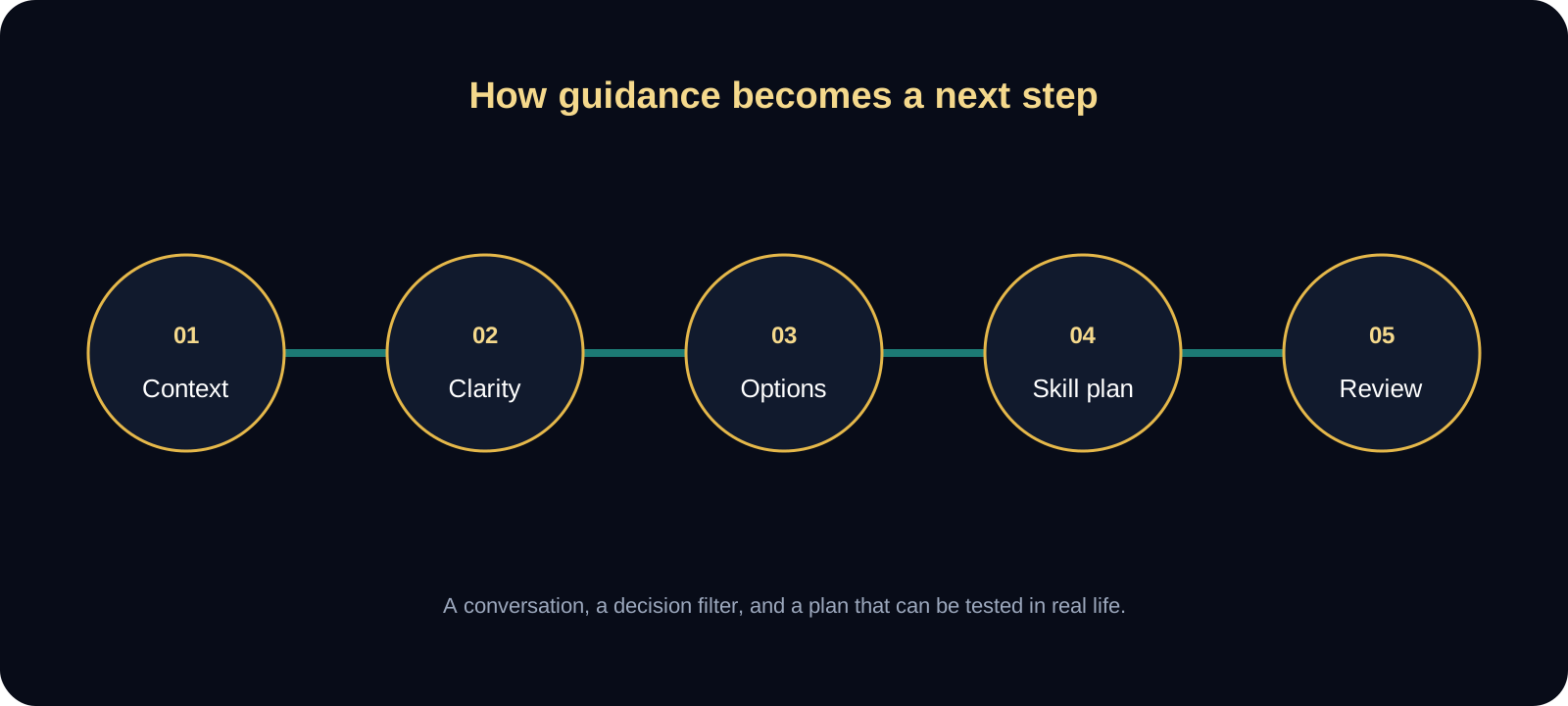
Five-stage career guidance session flow from context to review
A guidance session moves from context to clarity, options, a skill plan and review.
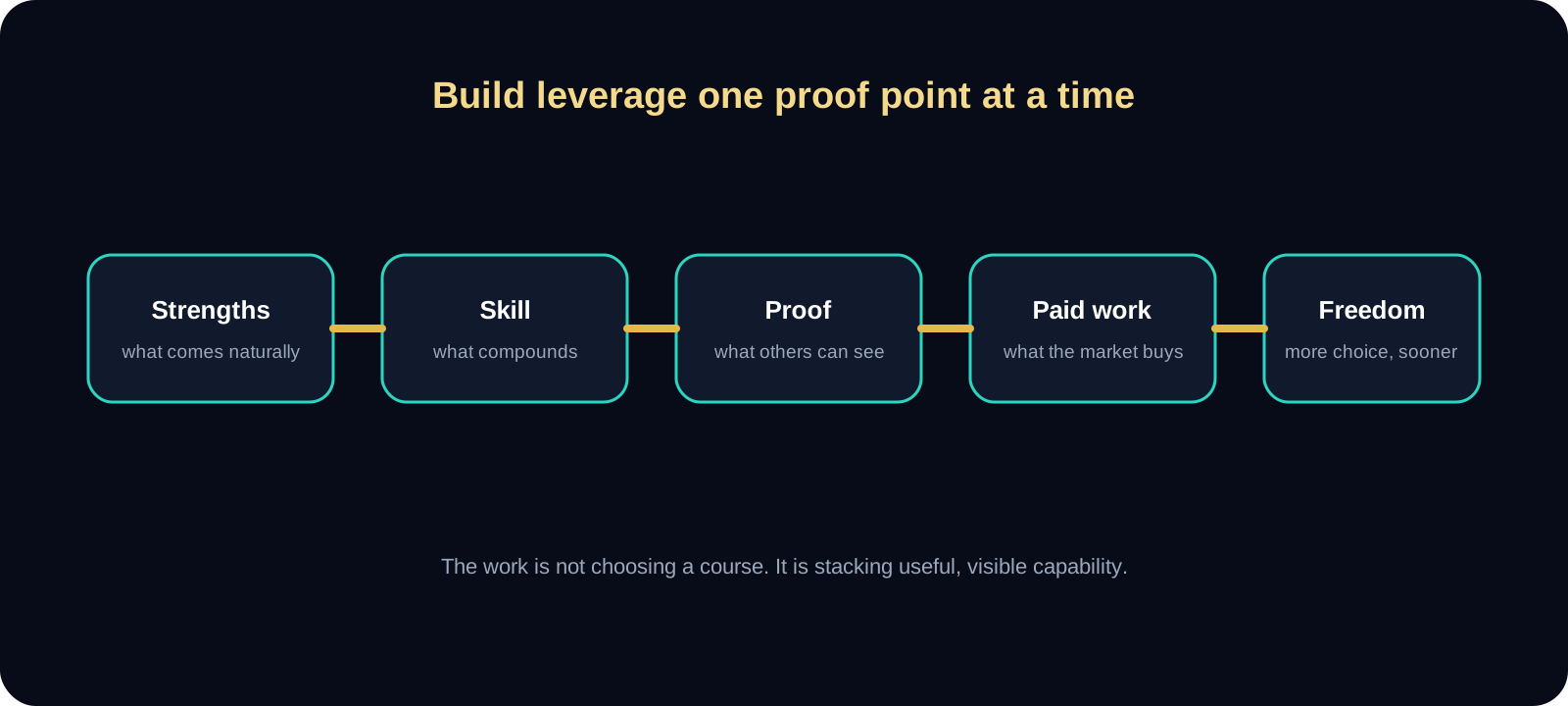
Skill portfolio chain from strengths to financial freedom
Strengths become skills, skills become visible proof, and proof leads to paid work and more freedom.
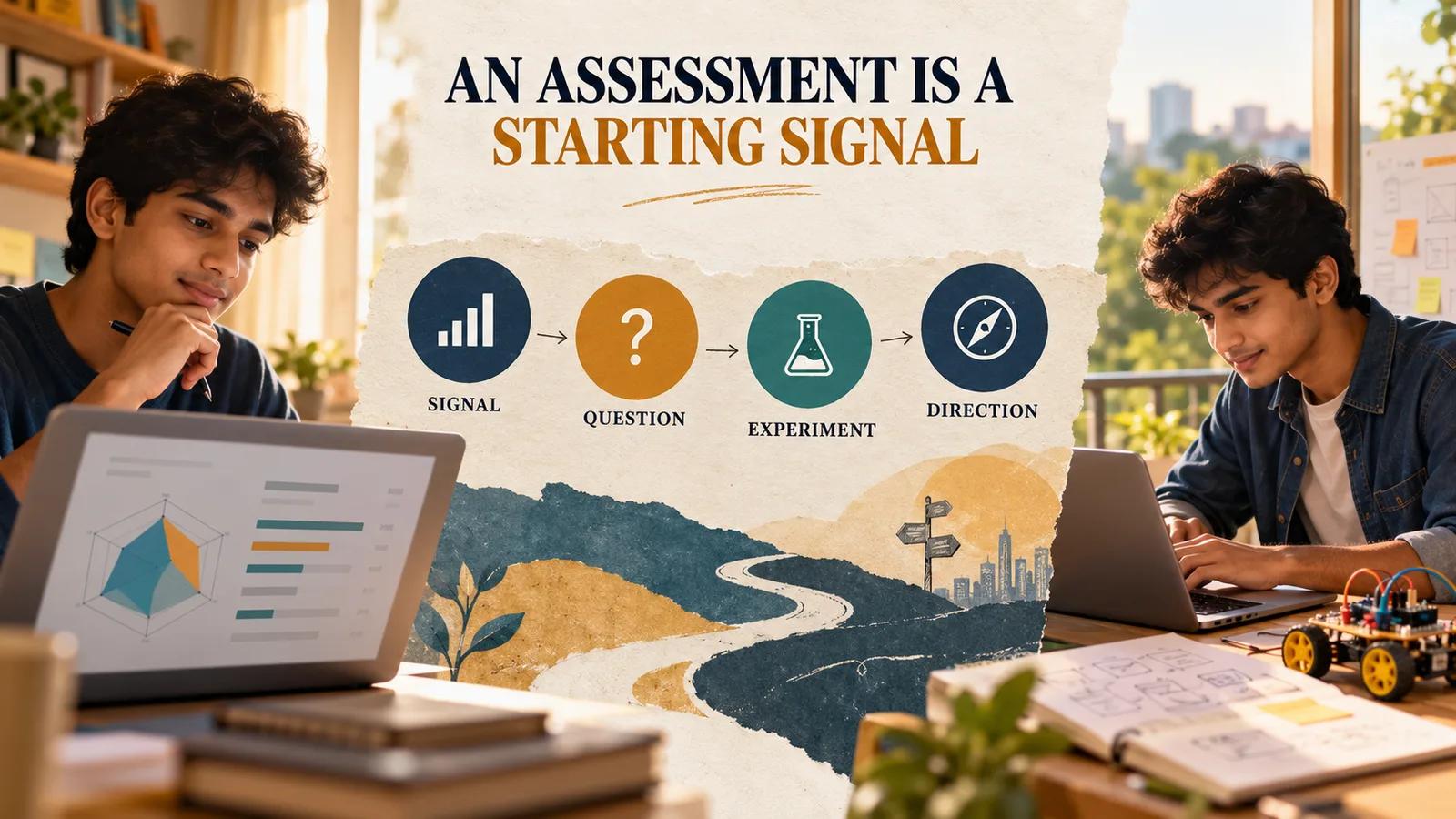
An assessment signal map showing how results become questions, experiments, and direction
Answer honestly

Rate each statement, then choose what you would do

There are no right answers on the statements, so think of your usual pattern, not your best day. In the situations, pick what you would really do, not what sounds best.

Which of these describes you best?

The same skill is used in different ways in a classroom, a first job and a return to work, so your report changes the extra questions and advice to match.

It appears at the top of your result and in your PDF report. It stays on your device.
What is scored

Five areas of everyday computer skills

Most people are strong in some of these areas and shaky in others. Someone may type fast and still lose files, or build neat sheets and click on a fake link. Start with the area where your score is lowest.

Computer basics and files

Moving around the computer and keeping your files in order

High score: You find, name, move and back up files without stress, install what you need from safe places and use shortcuts to save time.

Low score: You lose time looking for files, ask someone else for small computer jobs, or avoid installing and fixing things yourself.

Documents and presentations

Writing, formatting and presenting in a word processor and slides

High score: Your documents look tidy, use styles and lists the proper way and go out as clear PDFs, and each slide carries one idea.

Low score: Documents look crowded or uneven, the layout breaks when you edit, and slides are full of paragraphs.

Spreadsheets (Excel or Google Sheets)

Entering, calculating, sorting and filtering in a sheet

High score: You use formulas instead of typed totals, sort and filter with confidence and set sheets up so that other people can read them.

Low score: Totals are typed by hand, sheets are hard to read, and one changed number can break everything.

Internet and online safety

Searching, communicating and staying safe online

High score: You search with specific words, compare sources, use email and shared files properly and spot scams before they cost you.

Low score: You click quickly, reuse passwords, or find it hard to tell a real message from a fake one.

Working with data

Reading, cleaning, summarising and charting information

High score: You can read a table, fix messy entries, answer a question with totals and a chart, and check that the numbers make sense.

Low score: Tables feel confusing, messy entries stay messy, and totals or charts are trusted without a second look.

How to read your computer skills result

What this self-rating shows and what it does not

Each statement describes something you can do, such as saving into a folder, writing a SUM formula or checking a link. Your answers show how you see your own skills today. They are not marks, and nobody has watched you do the task.

This is not a certificate and not an official assessment. It is also not a timed knowledge exam with right and wrong answers to memorise. Treat it as a map of where to practise.

Basic computer skills come before Excel and data work

A person who cannot find a file or set up a clean table will struggle in Excel, however many formulas they learn. That is why this test starts with files and documents and then moves to spreadsheets, online safety and data.

If your spreadsheet and data areas are low but your basics are strong, you are ready to practise those two now. If your basics are low, give them a week first, because every other area depends on them.

Check the result with one small task

Pick a task you could be asked to do in a class, an interview or a job: a one-page letter, a sheet with totals and a filter, and a chart from five numbers. Time yourself and note where you got stuck.

If the task went better than your score, trust the task and raise your next target. If it went worse, use the step you got stuck on as your practice for this week.

Using these skills for work and income

Basic computer, spreadsheet and data skills help in many office, records and back-office roles, and they make other learning easier. Skills alone do not decide a job, and no result here predicts a job offer or an income.

Data analyst work is rated Scalable when you add proof of work, clear communication and basic sales and marketing sense, and this test only checks the starting habits. Data entry and typing-only work is Not so scalable, because it is crowded and easy to compare on price, so add a second skill beside it.

Freelance spreadsheet and report help for small offices is Scalable with a business layer. That means planning who pays, how they find and trust you, proof of past work, follow-up and referrals.

Limits to keep in mind

  • This is a self-rating tool. It shows how you describe your own skills and does not check what you can really do on a screen.
  • It is not a certificate, not an official assessment and not a timed knowledge exam. If an employer or institute needs a graded or certified result, that has to come from them.
  • Each score comes only from your own answers. Nobody else’s results are used, so there is no pass mark and no target number to reach.
  • It does not cover specialist software such as accounting packages, SQL, Python or dashboard tools, and it does not predict a job offer, marks or income.
  • The safety tips are general. If you lose money to fraud or an account is hacked, tell your bank at once and report it as soon as you can on the National Cyber Crime Reporting Portal (cybercrime.gov.in) or by calling the 1930 helpline.
Common questions

Before you take the test

Is this a free basic computer skills assessment test?

Yes. You pay nothing and do not register. It takes about 8 minutes, and when you finish you see five area scores at once and can save a PDF report.

Is this a free Excel skills assessment test?

Partly. The spreadsheet area asks what you can do in Excel or Google Sheets, such as formulas, sorting, filtering and setting up a readable table. It is a self-rating and not an Excel exam, so it does not test specialist functions or give a graded result.

Is this a data analyst skills assessment?

No. It checks the starting habits that data work depends on: reading a table, cleaning messy entries, totalling, charting and checking numbers. It does not test SQL, Python or dashboard tools, and it cannot tell you whether you are ready for a data analyst job.

Do I get a certificate or an official score?

No. This is a self-rating tool and the PDF is a personal report, not a certificate. A certificate would have to come from a recognised training body or an employer that sets and marks its own test.

Is this skills assessment test free to use, and do I need to sign up?

It is free and needs no sign-up. You answer by choosing how well each statement describes you and by picking what you would do in short everyday situations.

How is the score worked out?

You rate each statement from 1 (not true) to 5 (very true). A statement about a poor habit, such as typing totals by hand, counts the other way round, so agreeing with it lowers the score. Each everyday situation is worth 0 to 100 points, and the overall score is the average of your five area scores.

What is a good score on a computer skills assessment?

There is no pass mark to aim for. A lower area just shows where practice will help most, and you can retake the test in a few weeks to see whether it moved.

I only use a phone. Can I still take this test?

Yes. Rate yourself honestly, and expect the files and shortcut statements to score lower if you have mostly used a phone. That is useful to know, because many offices and colleges expect work on a computer.

How can I improve my computer skills for free?

Start with your lowest area and do one small task a day. Free tools such as Google Docs, Google Sheets or LibreOffice are enough for every step in your report, and so is Excel for the web, which is free with a Microsoft account but has fewer features than the desktop app. The 14-day routine gives four steps for that area, and retaking the test after a few weeks shows whether it moved.

I am returning to work after a break. Is this test for me?

Yes. Choose that stage before the result and the extra questions and advice change, with video calls, shared drives, work email and online payments in mind. A break does not erase what you know, and a quick check shows which tools to refresh first.

Free results are step one

Free assessment results are useful. Real career decisions need stronger guidance.

Start with the free test that fits your stage. When the decision gets serious, move to updated career guidance that turns those signals into better choices, stronger skills, and higher leverage.

Use free results to narrow the problem before you commit to a bigger decision.

Use guidance to avoid wasted years, wasted money, and low-value skill choices.

Use the right plan for your stage to turn the result into a practical next step.

Sessions are online across India. The stronger plan gets built inside the guidance service.

Career Guidance Pricing

Students

Student path

Student Career Guidance

Practical student career guidance before the wrong path wastes years, money, and future readiness.

Limited-time student offer
₹3000
₹250
for the first 1-on-1 session

A low-friction first step before the wrong path costs more time and money.

Online across India

Avoid

Wrong streams, outdated degrees, and low-value skills that waste years and money.

Move toward

Useful skills, future readiness, and a clearer next decision.

Working Professionals

1-on-1

Working Professional Career Guidance

For professionals who need clearer pivots, stronger compensation, and higher-leverage career moves.

Limited-time professional offer
₹5000
₹3000
for one 1-on-1 session

Book one sharp 1-on-1 before stagnation, weak positioning, or a bad pivot gets more expensive.

Online across India

Avoid

Salary ceilings, random upskilling, weak positioning, and pivots that waste time and money.

Move toward

More useful skills, sharper positioning, and clearer next moves.